
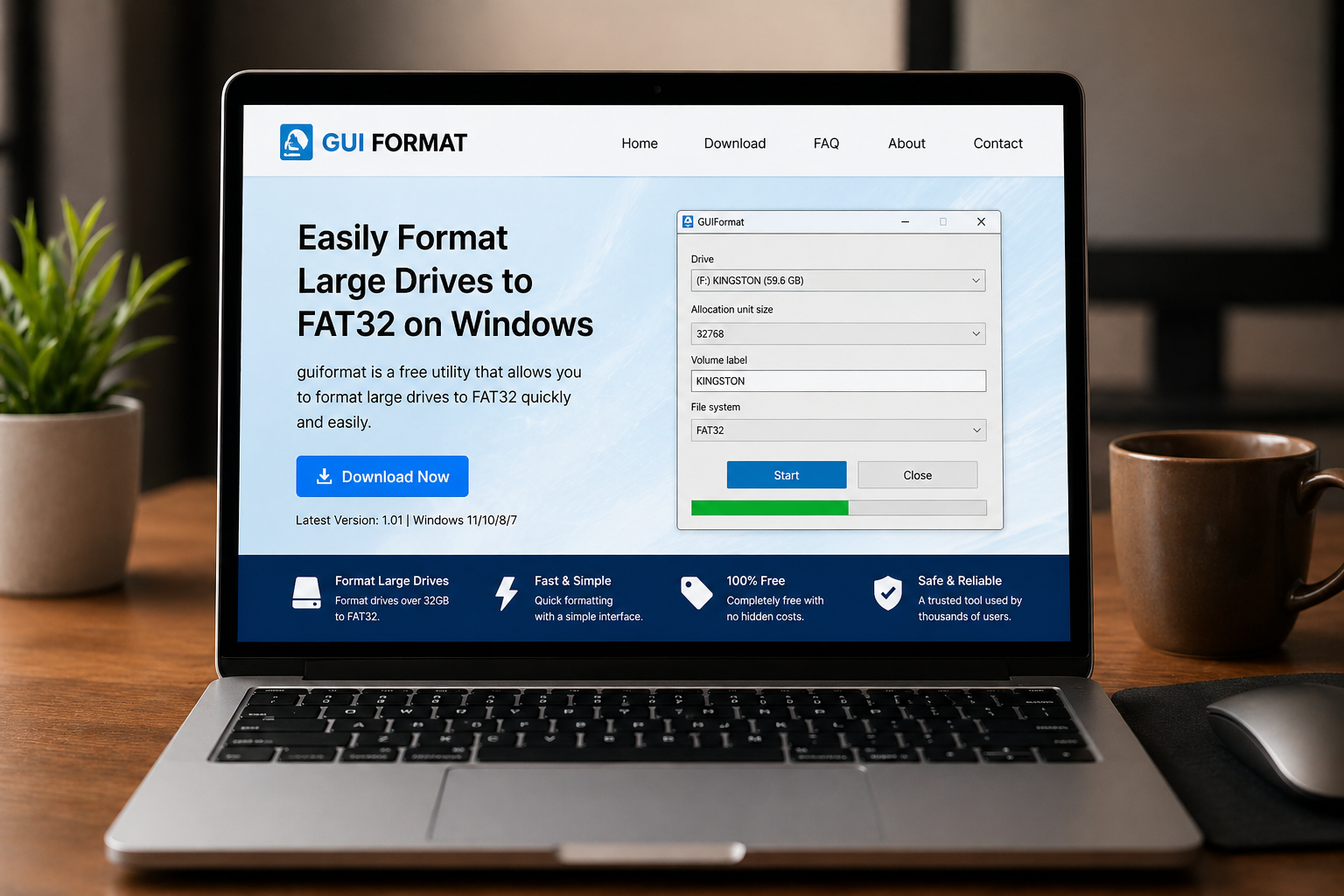
So last Sunday around 9:52 PM, I was trying to format a 64GB USB drive that Windows just REFUSED to handle properly… and yeah, I was already annoyed. Like, why is this still a problem in 2026?
Anyway, after wasting a solid 17 minutes with built-in tools, I randomly found guiformat.com. At first, I thought, okay, this looks kinda… old-school. Sketchy? Maybe.
But I gave it a shot anyway. And honestly? It surprised me more than I expected.
QUICK SUMMARY BOX
⭐ Overall Rating: 4.5/5
💰 Starting Price: Free
✅ Best For: Users needing FAT32 formatting for large drives
👍 Top 3 Pros:
- Works instantly without installation
- Solves Windows formatting limits
- Extremely lightweight tool
👎 Top 2 Cons: - Outdated interface design
- Limited advanced options
🔗 Free Trial: Yes (Free access)
What is guiformat.com?
Alright, super simple explanation, guiformat.com is a tiny tool that lets you format large drives (like USBs or SD cards) into FAT32, which Windows normally blocks.
Sounds basic, right? Yeah… but if you’ve ever tried formatting a 64GB+ drive, you know the struggle. Windows just says “nope.”
I used guiformat.com on my old HP laptop (Windows 10, slightly laggy), and within like 47 seconds, boom, done. No drama.
Key Features That Actually Matter
Simple FAT32 Formatting Tool
This is the main thing. And it works.
I plugged in my USB, opened the tool, clicked start… and that was it. No complicated setup. Honestly felt too easy at first (I even double-checked if it actually worked lol).
Compared to tools like Rufus, it’s way more basic, but also less confusing.
No Installation Needed
This part? Huge win.
You just download the file and run it. No setup wizard, no weird popups. I hate when tools force installs for something simple.
Side note, why do so many apps still do that? Anyway… guiformat.com skips all that nonsense.
Extremely Lightweight Performance guiformat.com
The file size is tiny. Like… ridiculously small.
I ran it on my slow laptop and even tested it on my friend’s older PC, same result. Fast, smooth, no crashes.
Not gonna lie, I expected at least one glitch. Didn’t happen.
What It’ll Cost You: guiformat.com Pricing Breakdown
Free. That’s it.
No subscriptions, no hidden fees, no “premium upgrade” nonsense. It does one job, and doesn’t charge you for it.
Value-wise? Honestly, it’s better than many paid tools that overcomplicate things.
The Good & The Bad: Honest guiformat.com Assessment
What I Actually Liked (The Pros)
- I loved how fast it works, under a minute
- No installation needed at all
- Solves a real Windows limitation
- Works on older systems without issues
- No ads or annoying distractions
- Straightforward and beginner-friendly
What Could Be Better (The Cons)
- Interface looks outdated (like early 2000s vibes)
- No extra features beyond formatting
Who’s This Really For? guiformat.com User Guide
If you’re trying to format large USB drives to FAT32, this is exactly what you need. Simple.
Gamers, photographers, or anyone dealing with external storage will find it useful. Especially if you’ve hit Windows limitations before.
NOT for advanced users looking for partition tools or deep customization.
Questions You’re Probably Asking: guiformat.com FAQs
Is guiformat.com safe to use?
From my experience, yes. I scanned the file and had no issues.
Does it cost anything?
Nope, completely free with no upgrades required.
What makes guiformat.com different?
It bypasses Windows FAT32 limits easily without complexity.
Is it better than Rufus?
Depends. Rufus has more features, but guiformat.com is simpler.
Can I use it on any USB drive?
Yes, as long as your system recognizes the drive.
Does it work on newer Windows versions?
Yes, worked fine for me on Windows 10 and 11.
My Final Take: Worth It or Waste of Time? guiformat.com Conclusion
So yeah… guiformat.com isn’t flashy. Not modern. Not packed with features.
But it works. And sometimes, that’s all you need.
The 4.5/5 rating makes sense because it solves a very specific problem quickly, without headaches. Sure, it could use a design update, but functionally? Solid.
If you’re struggling with USB formatting, just try guiformat.com. Seriously. It might save you 20 minutes of frustration.
Thank you for reading techtarte.com
